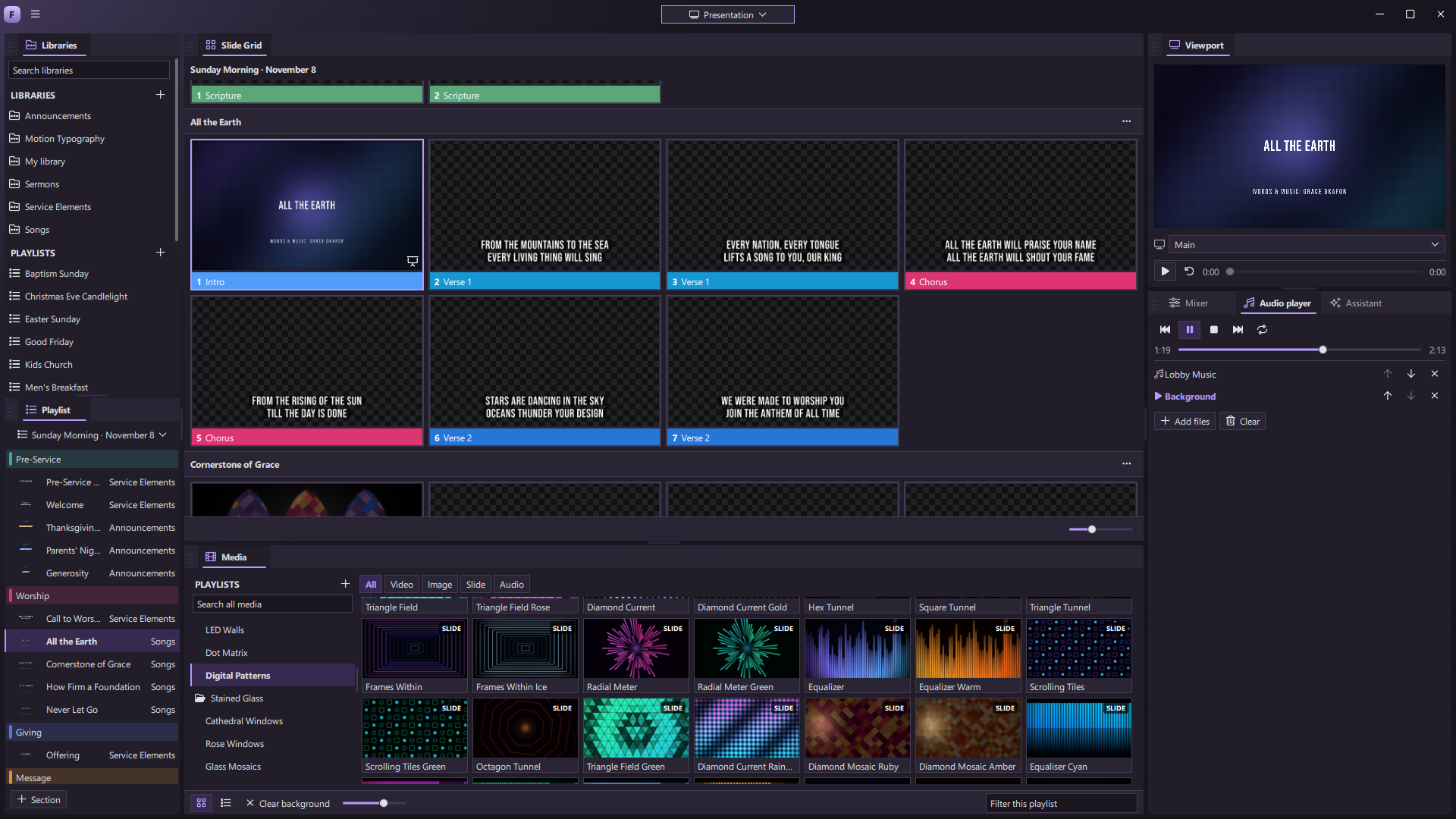
Make every
moment show up.
Create the show, bring it to life with real-time motion, and send the right picture to every screen—from one production space.
Your ideas don’t have to
stop at a slide.
Design moving lyrics, titles, and backgrounds where you run the show. Change them as the moment changes.
Explore the live canvasBuilt to go further.
Bring presentation, cameras, sound, and streaming together. Then shape the workspace and add the tools your team needs next.
The whole show, in your hands.
From the first walk-in slide to the last song, keep every cue in one clear running order.
Explore presentDesign motion that belongs to your show.
Make titles, lyrics, lower thirds, countdowns, and visual backgrounds where you run them.
Explore createMix visuals as the moment unfolds.
The VJ Clip Deck puts clips and slides on live layers, ready to play, blend, and change in the moment.
Explore mixA video engine made for live work.
Move between footage, motion backgrounds, slides, and graphics without sending the show through another app.
Explore playA workspace that fits the person running it.
Give a volunteer the essentials and a lead operator the full control room, one click apart.
Explore operateOne show. The right picture on every screen.
Send the room, the people on stage, and the online audience what each needs to see.
Explore outputSound, recording, and streaming belong here too.
Build a complete live production without passing your program through a chain of apps.
Explore produceMake the software feel like yours.
Set the tone of the production desk itself, with appearance themes you can choose, adapt, and create.
Explore styleMake the tool your team wishes existed.
ForShow is meant to grow with the people who run the show.
Explore extend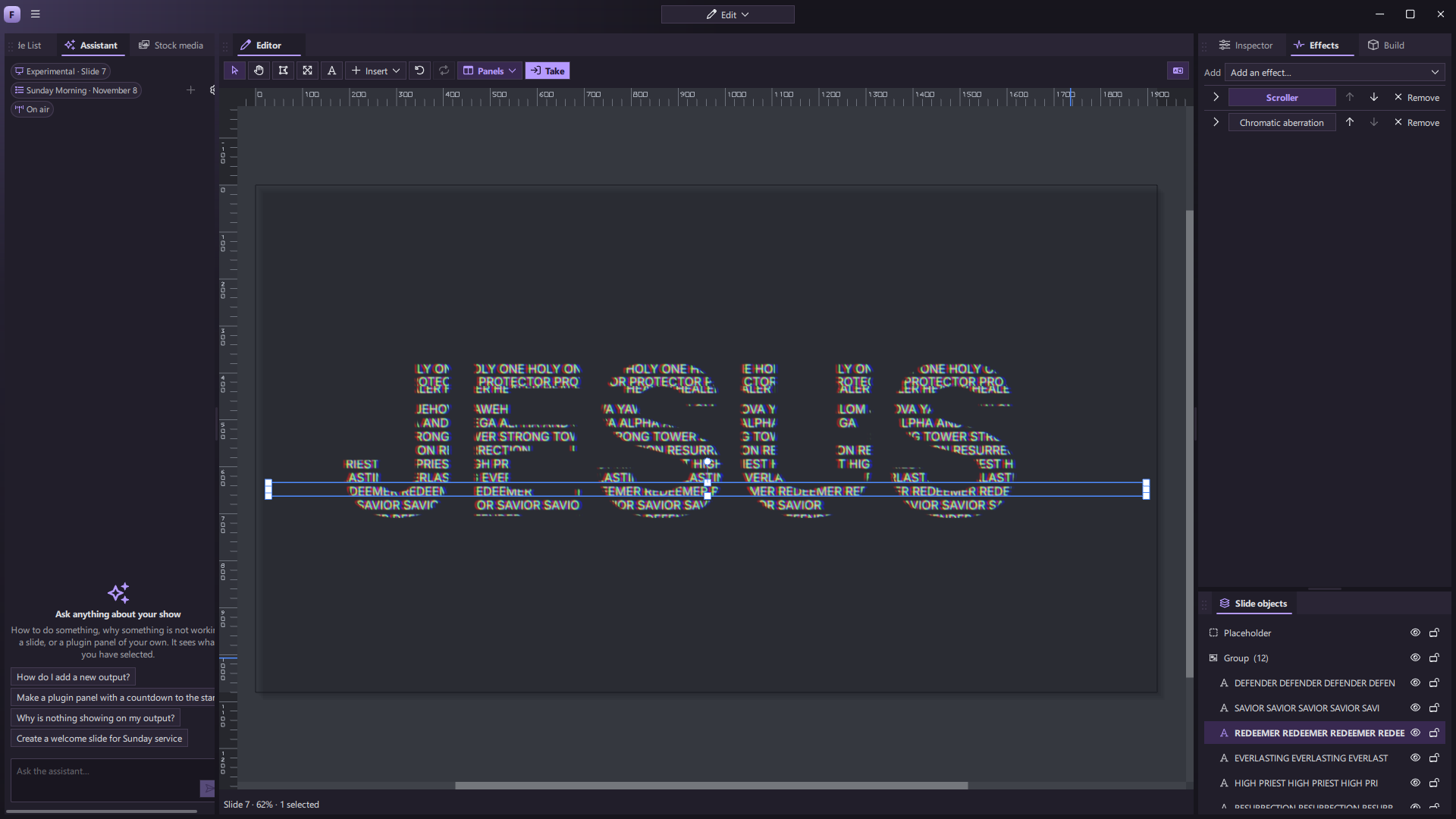 EFFECTS & ASSISTANT
Not just slides.
A living canvas.
Build a lyric, title, countdown, or lower third and watch it come alive right where you run the show. Change a word, shift a color, tune the timing—your work is ready for the next cue.
- Text, shapes, video, masks, gradients, and effects
- Builds, looping motion, and keyframes
- A growing library of editable motion designs
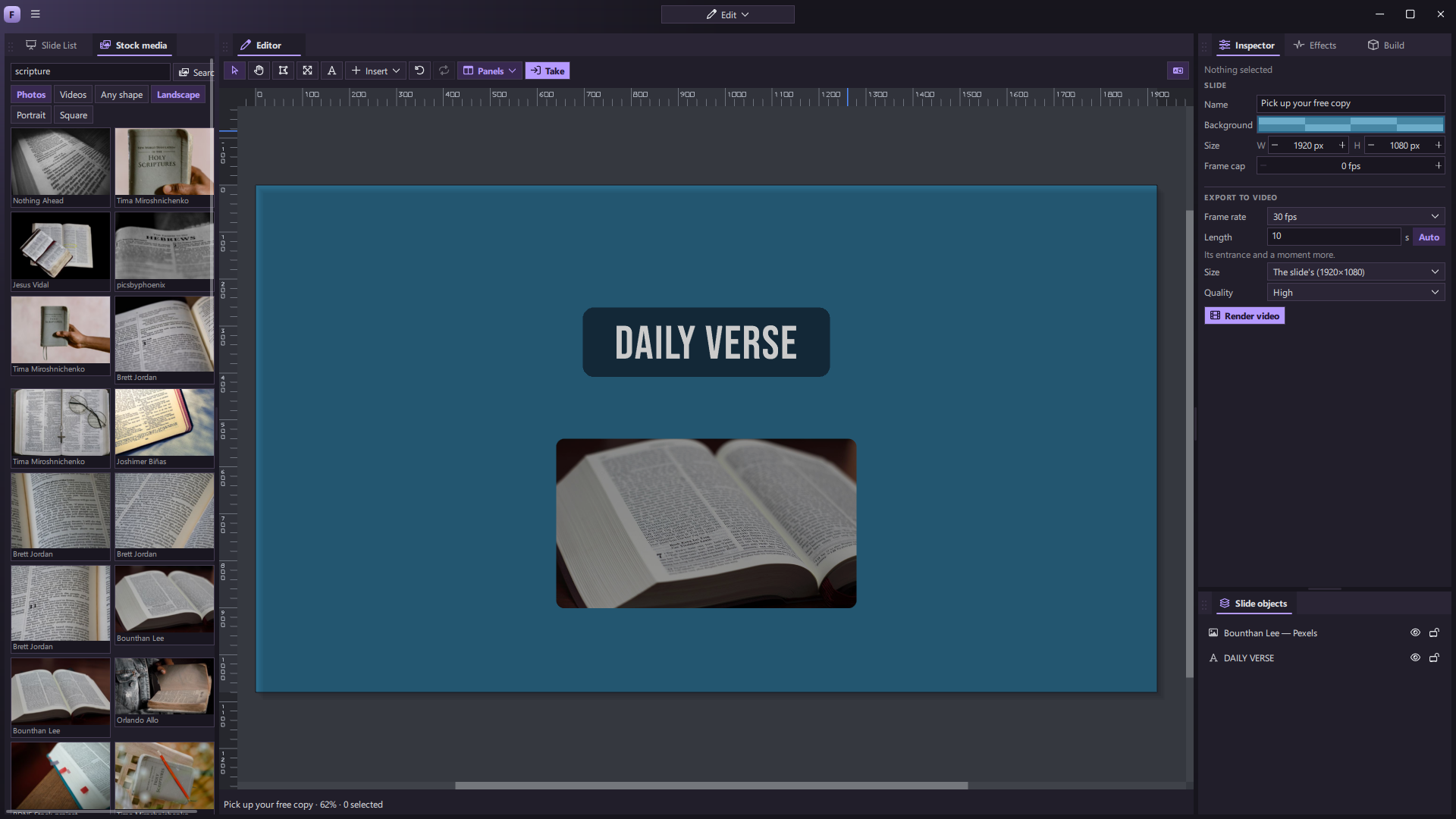 Find imagery and build in one workspace
Design that keeps moving.
Watch effects and motion backgrounds running inside ForShow. Shape the look in the editor, then bring it into the presentation.
Captured from the app in development. Motion plays silently.
Mix the moment.
Keep it moving.
Bring video, motion backgrounds, and slides onto ForShow’s Clip Deck. Launch a single look or a whole column, blend layers, and change the picture while the show is live.
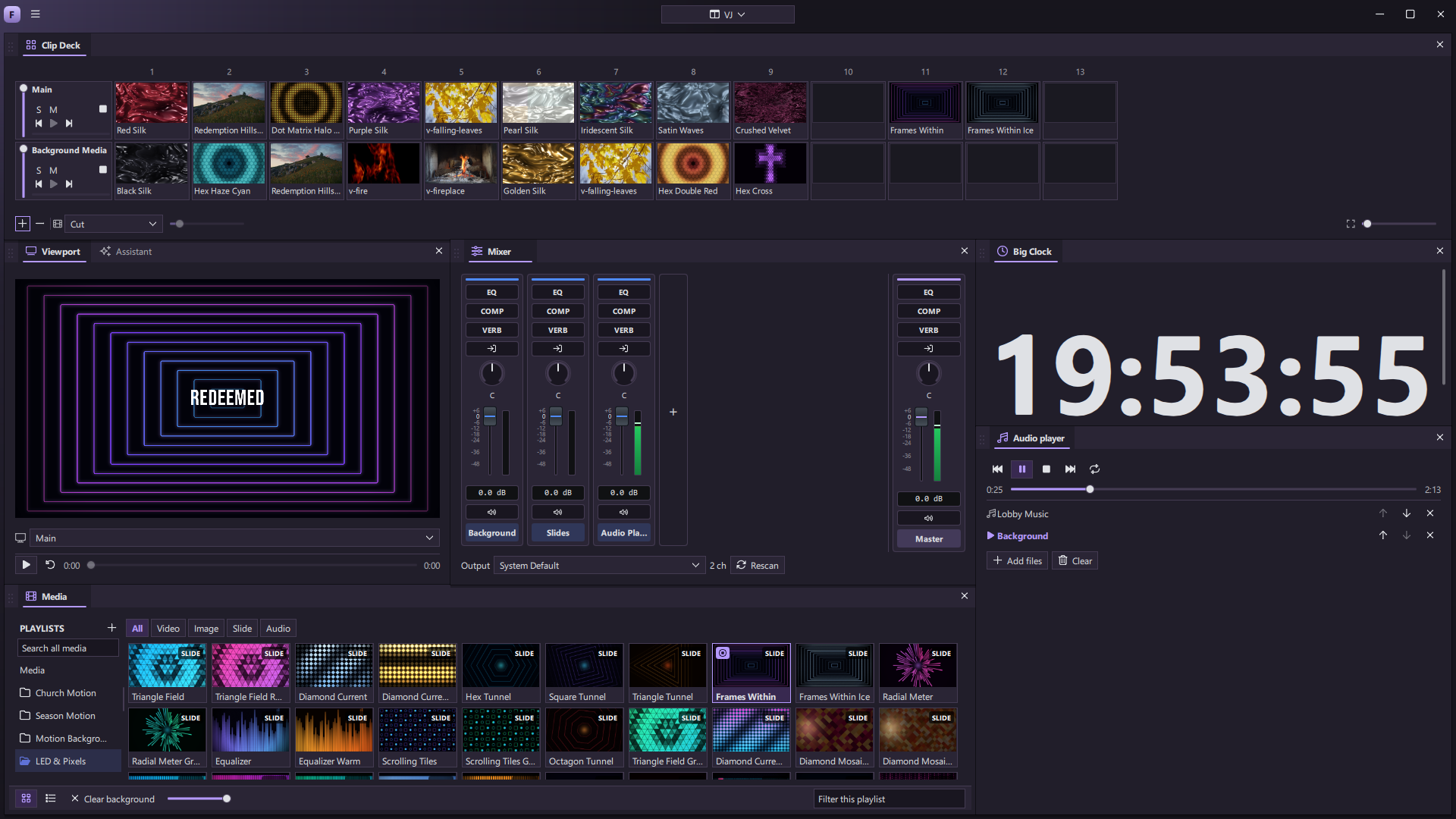 The VJ Clip Deck
Clips at your fingertips
Put slides and media on a deck, ready to launch on their own or together.
Layers you can play
Fade, solo, mute, seek, and transition between looks as the room changes.
Video built into the show
Trim, loop, color, and place clips behind a slide, inside a design, or on a layer of their own.
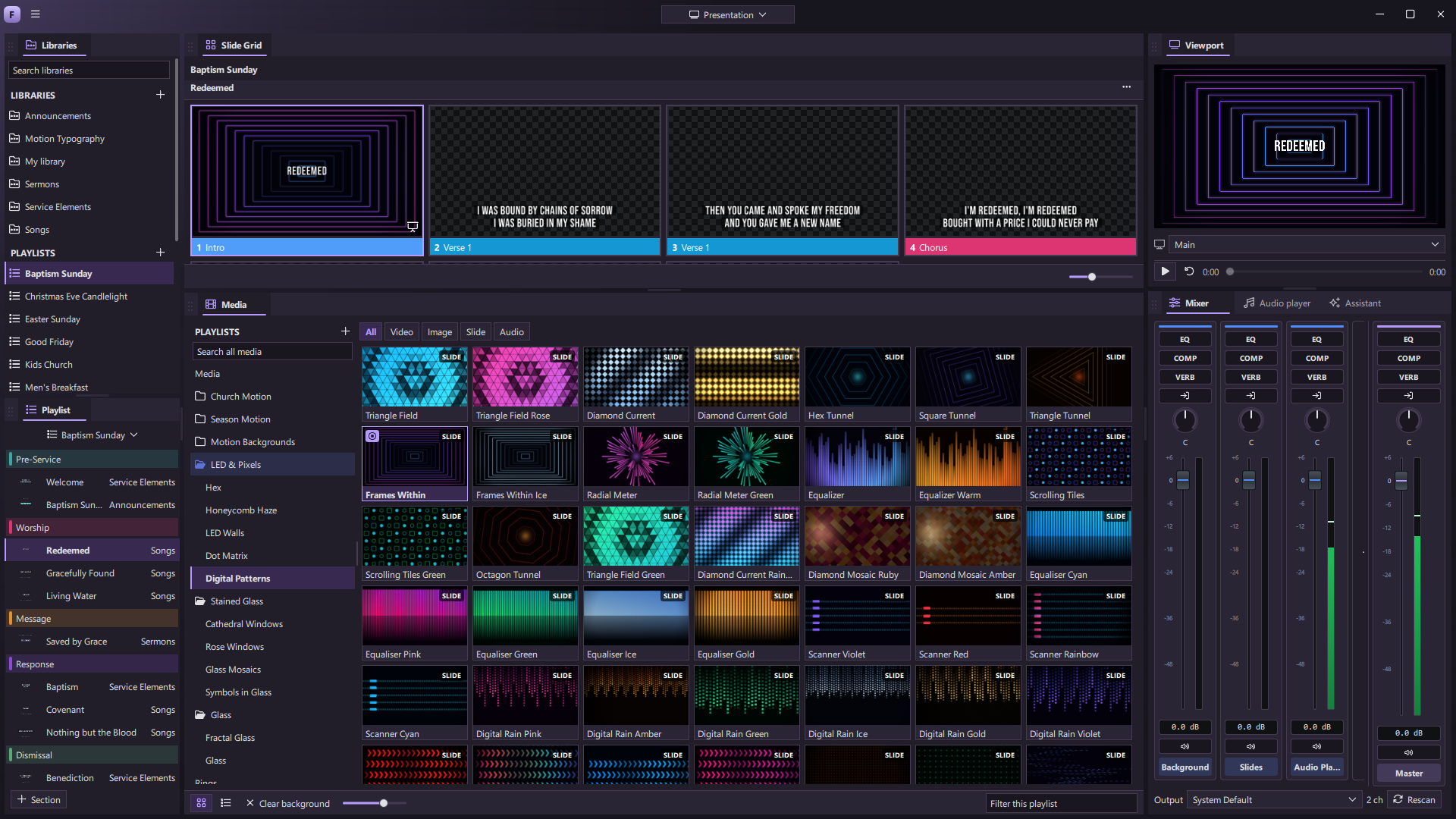
Your room. Your stage.
Your stream.
One show can speak differently to every audience. Keep the lyrics in the room, next steps on stage, and a clean composition online—all from one place.
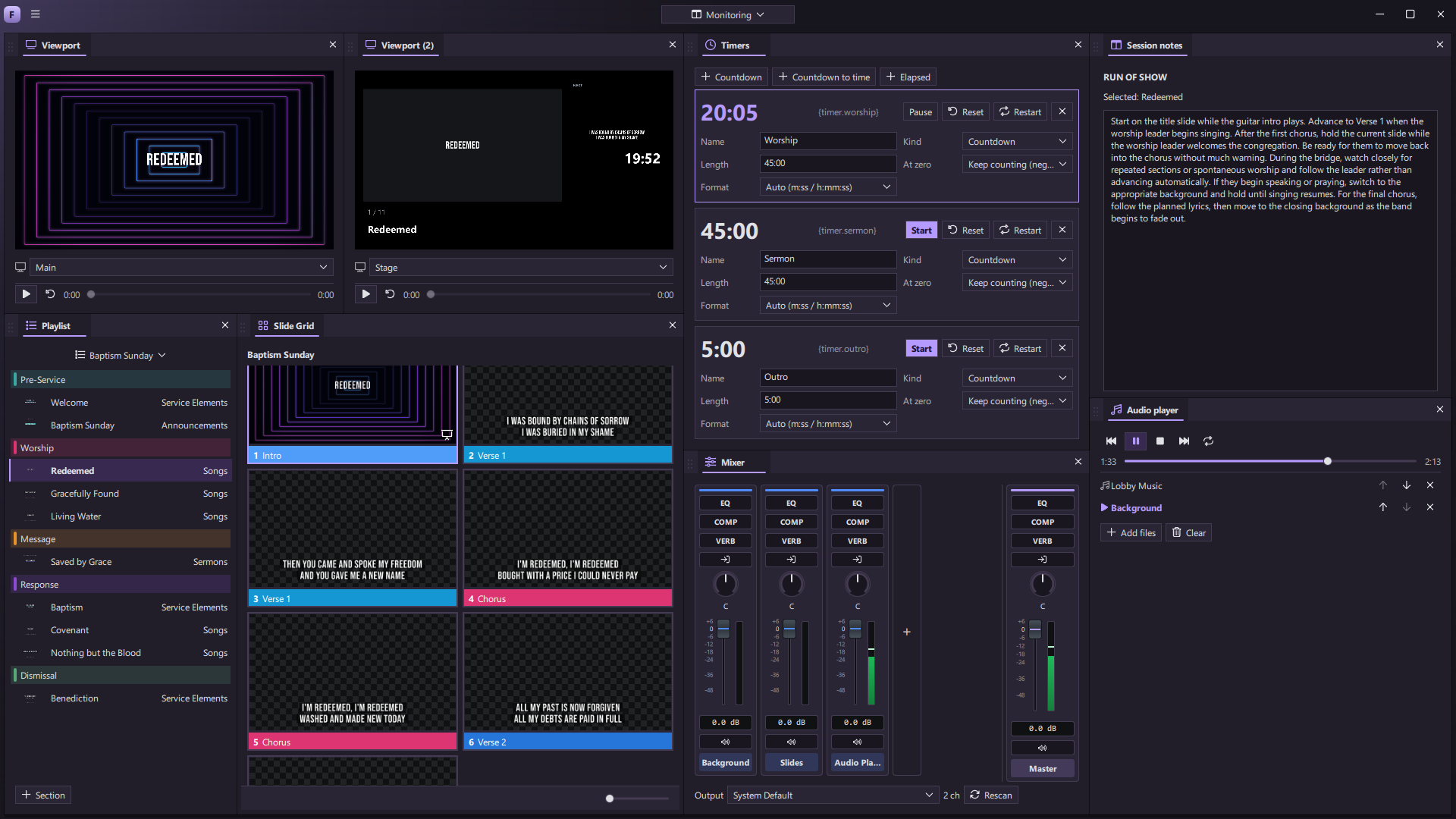 CUSTOM MONITORING WORKSPACE
A screen with a purpose
Choose a picture, language, and visual look for each output.
Confidence on stage
Put the current and next cue, clock, and messages where performers need them.
Production in one flow
Layer cameras, media, slides, and titles without changing tools.
Go live.
Stay with it.
ForStream is being built for the reality of live internet: create your program in ForShow, send one stream to the cloud, and deliver it to your destinations while keeping a local recording close.
Meet ForStreamMake a desk for every kind of show.
Move every panel. Save layouts for the people who run your events. Keep a focused view for a new operator and a full production desk for the lead—switching between them without changing what’s live.
Explore the workspace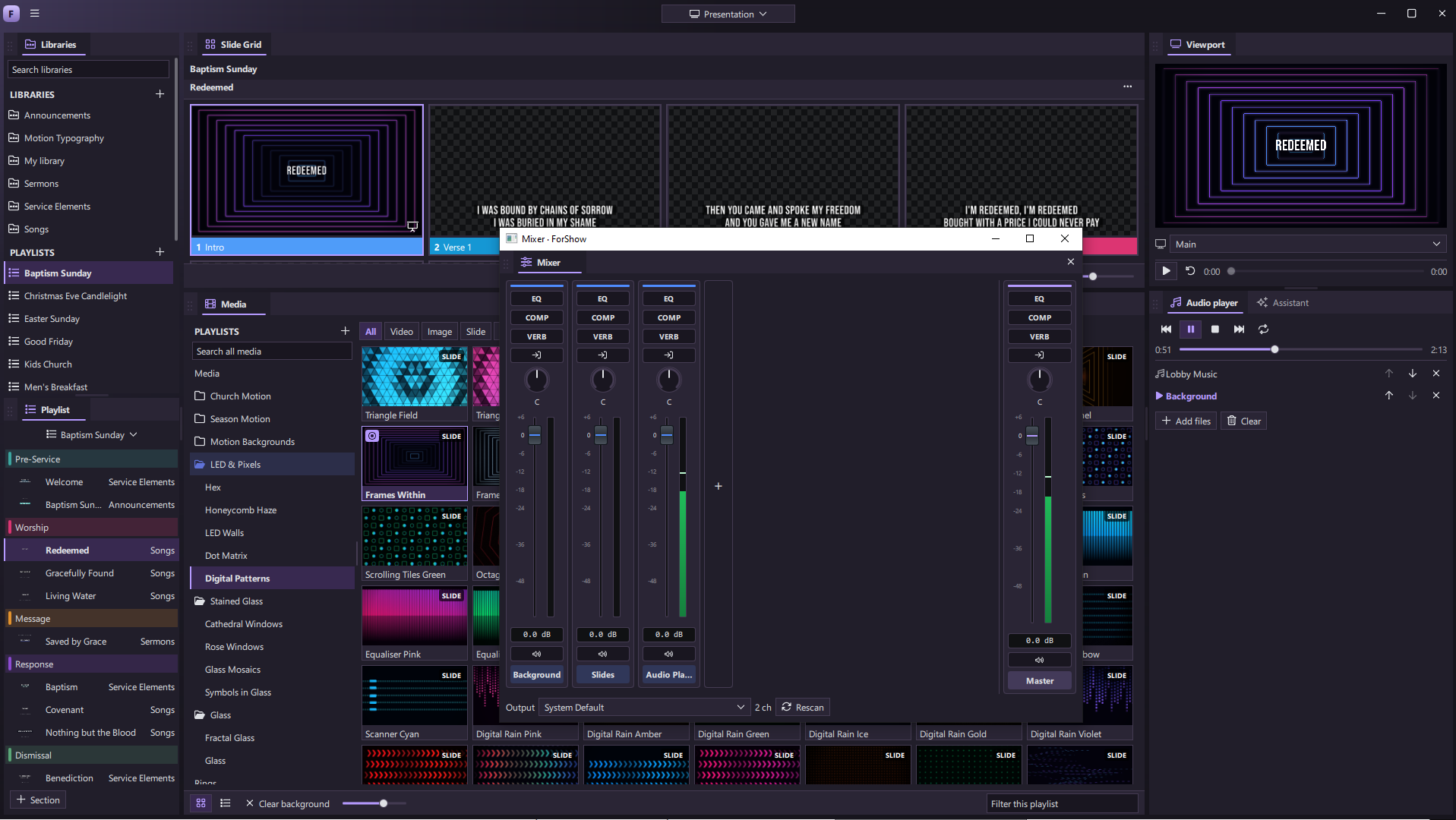
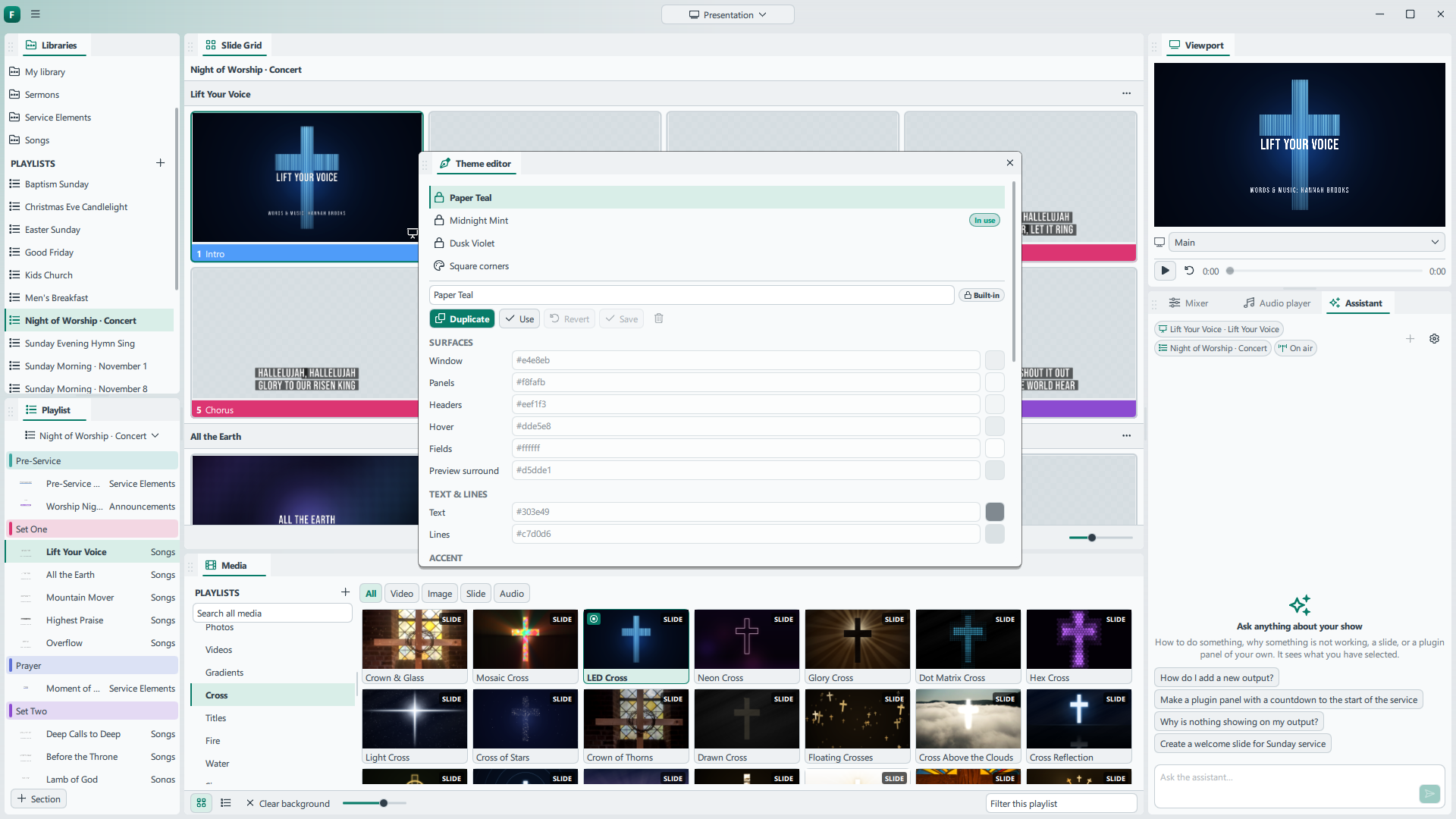
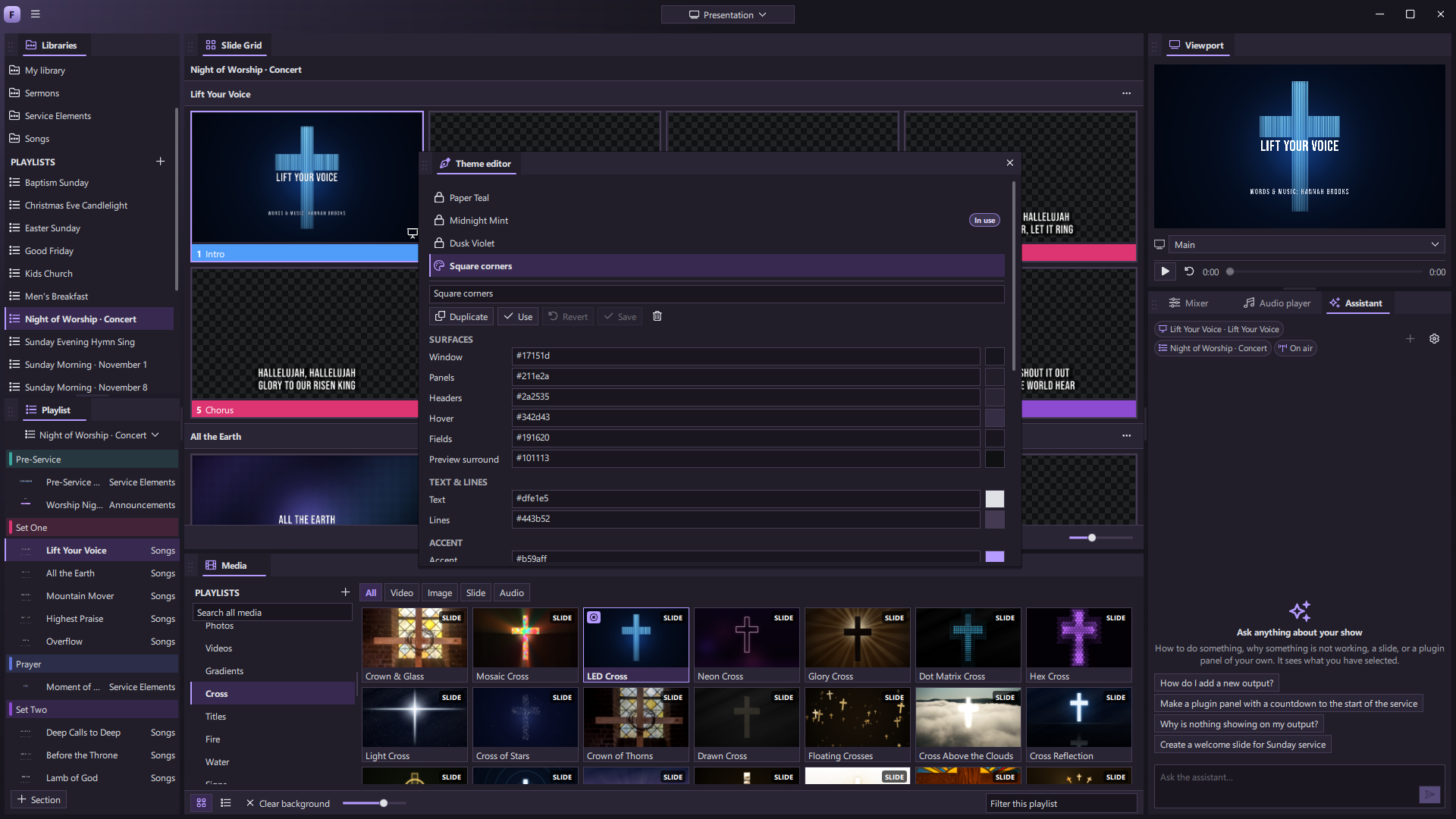
A look that feels like your team.
Choose a bundled appearance theme or make your own. Tune the colors, type, spacing, shapes, and menus of the software itself, then see your changes across the workspace as you make them.
Explore appearance themes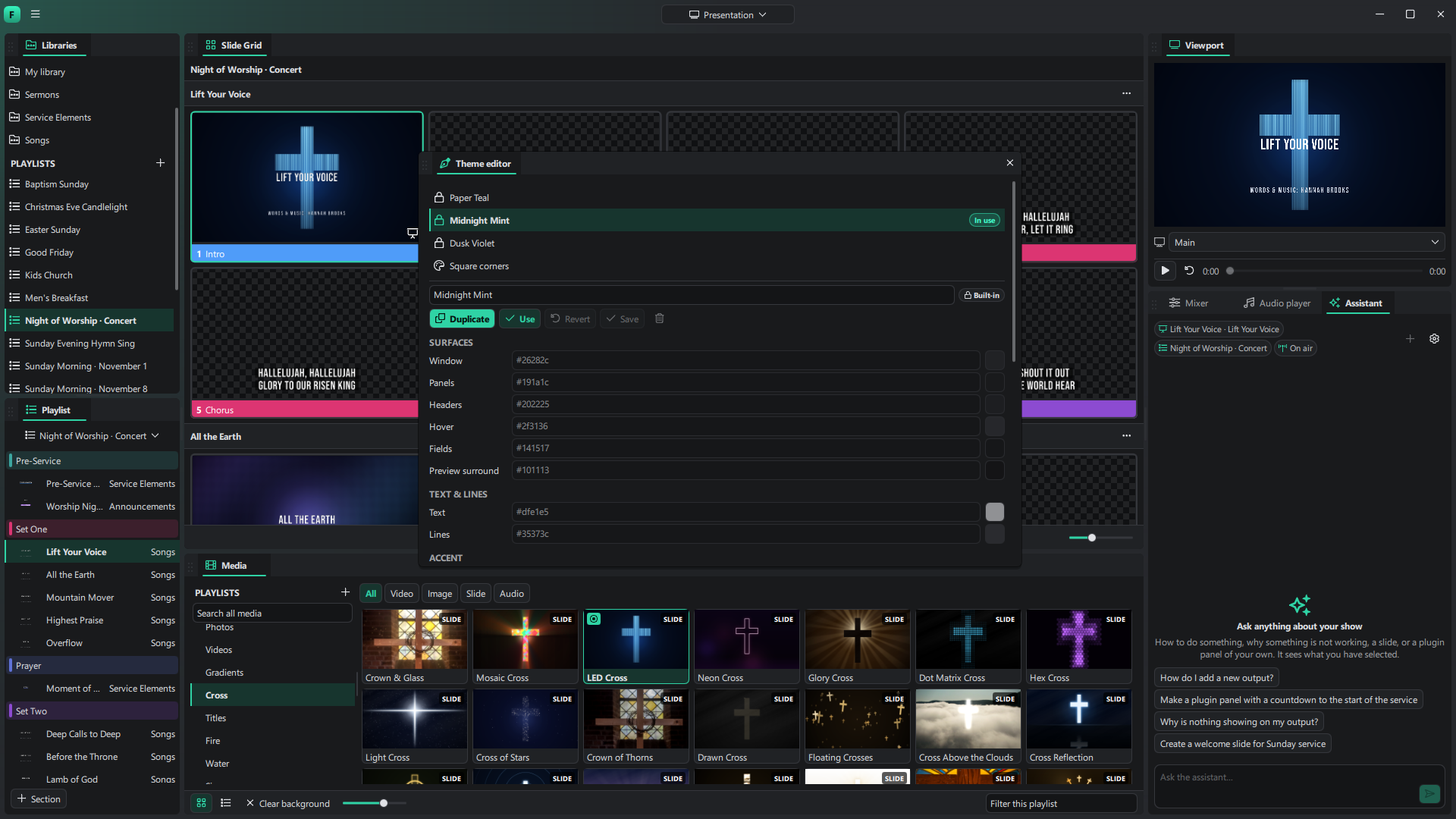
Imagine a tool.
Then make it.
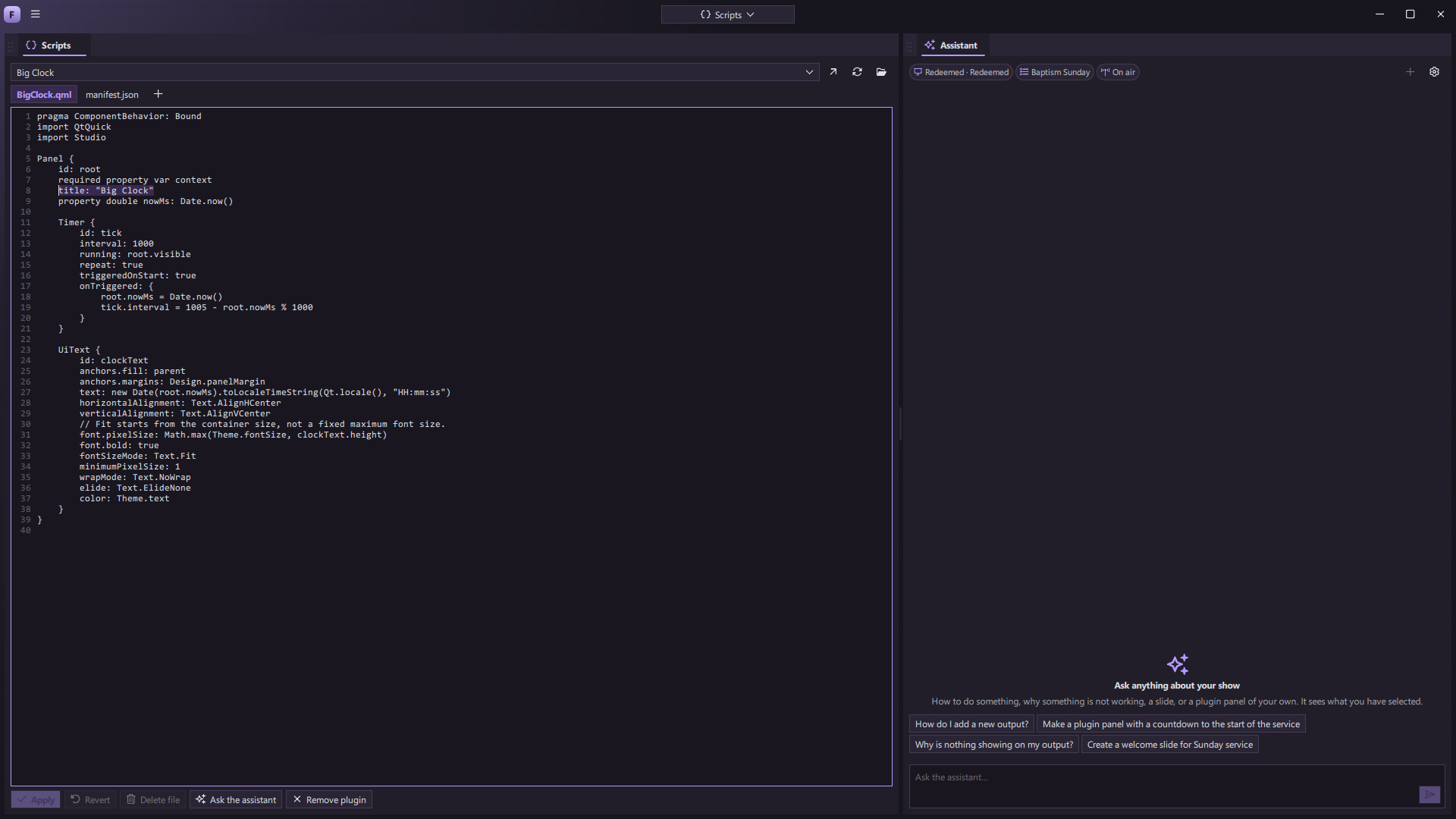
Build your own panels, edit scripts live, or ask the assistant to help turn an idea into a working tool. From a service countdown to a custom show controller, your workspace can grow with your team.
Explore the possibilitiesFor the service. The keynote.
The show that matters to you.
Make room for what’s next.
ForShow is coming to Windows, macOS, and Linux. Follow the ideas, features, and progress behind a new generation of live production.