The most memorable moments in a room are alive. A lyric lands with the music. A visual changes as the speaker changes direction. A camera brings everyone closer to what is happening on stage. The people running the show make dozens of small decisions that help an audience feel part of it.
We are building ForShow to give those teams more room to create.
A new generation of presentations
A presentation can be more than a sequence of finished slides. In ForShow, words, images, video, shapes, and effects can stay editable while the show runs. You can build motion into a title, change a lyric, adjust a color, or give the next moment a different rhythm without returning to a separate design project.
Our real-time engine is the heart of that idea. It draws the scene as it happens, so motion graphics can respond to cues, timing, and live choices. You can begin with a simple slide and keep shaping it into something that feels made for your room.
Powerful design matters because it can make a message clearer and a shared moment more vivid. We want teams to have the creative range to move people, connect them, and make each gathering feel intentional.
One place for the whole production
The audience experiences one show. The team often has to make that show across presentation software, video playback, visual mixing, audio tools, streaming controls, and a stack of windows that each demand attention.
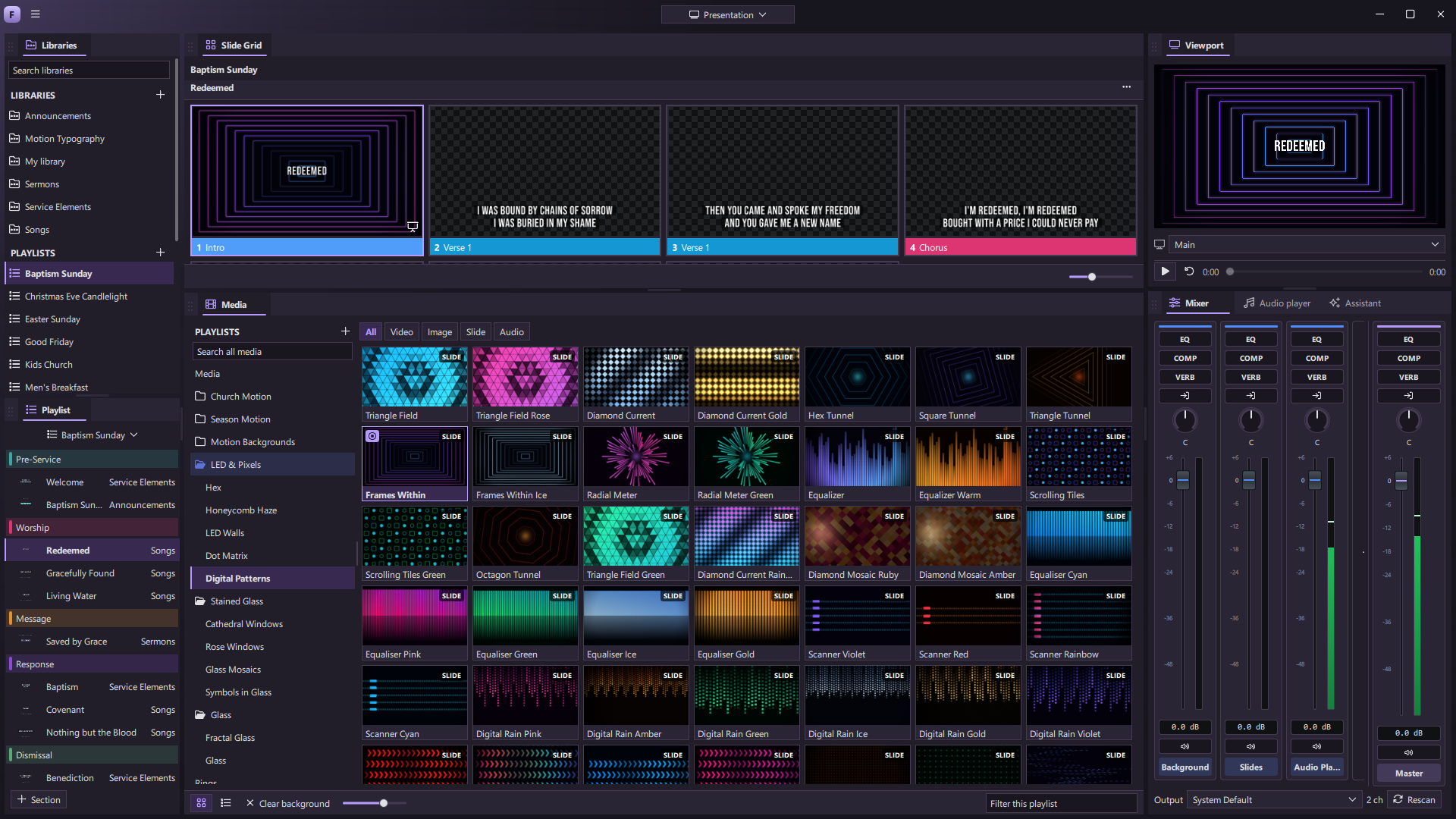
ForShow brings those jobs into one connected workspace. Prepare the running order, design the visuals, launch media, mix live layers, manage the sound, send a different picture to each screen, and record or stream the result. The goal is a smoother path from the first idea to the final cue, with fewer handoffs between tools.
This is also why video and live motion belong beside slides. A background should be able to keep moving while the words change. A clip should be ready when the room needs it. A title should feel like part of the same visual world as the stage and the stream.
Make it fit your people
No two teams run an event the same way. A volunteer may want a clear playlist and preview. A designer may need the editor and effects. A production lead may want several outputs, timers, notes, and a mixer visible at once.
ForShow lets you arrange the panels around those roles and save workspaces for different kinds of shows. You can also choose or create an interface theme. For teams with more specific needs, scripting and panel plugins open a path to building their own tools. The assistant can help turn an idea into a slide or a custom panel.
We want the software to adapt to the people who run the show, and to the setting they are in.
Built to go further
ForShow is still in development, with a release planned for Windows, macOS, and Linux. The screenshots on this site are from the app today; the interface and the connected services will continue to grow before launch.
What guides the work is already clear: bring professional presentation and production into one place, make real-time creativity accessible to more teams, and give every live moment the chance to show up.