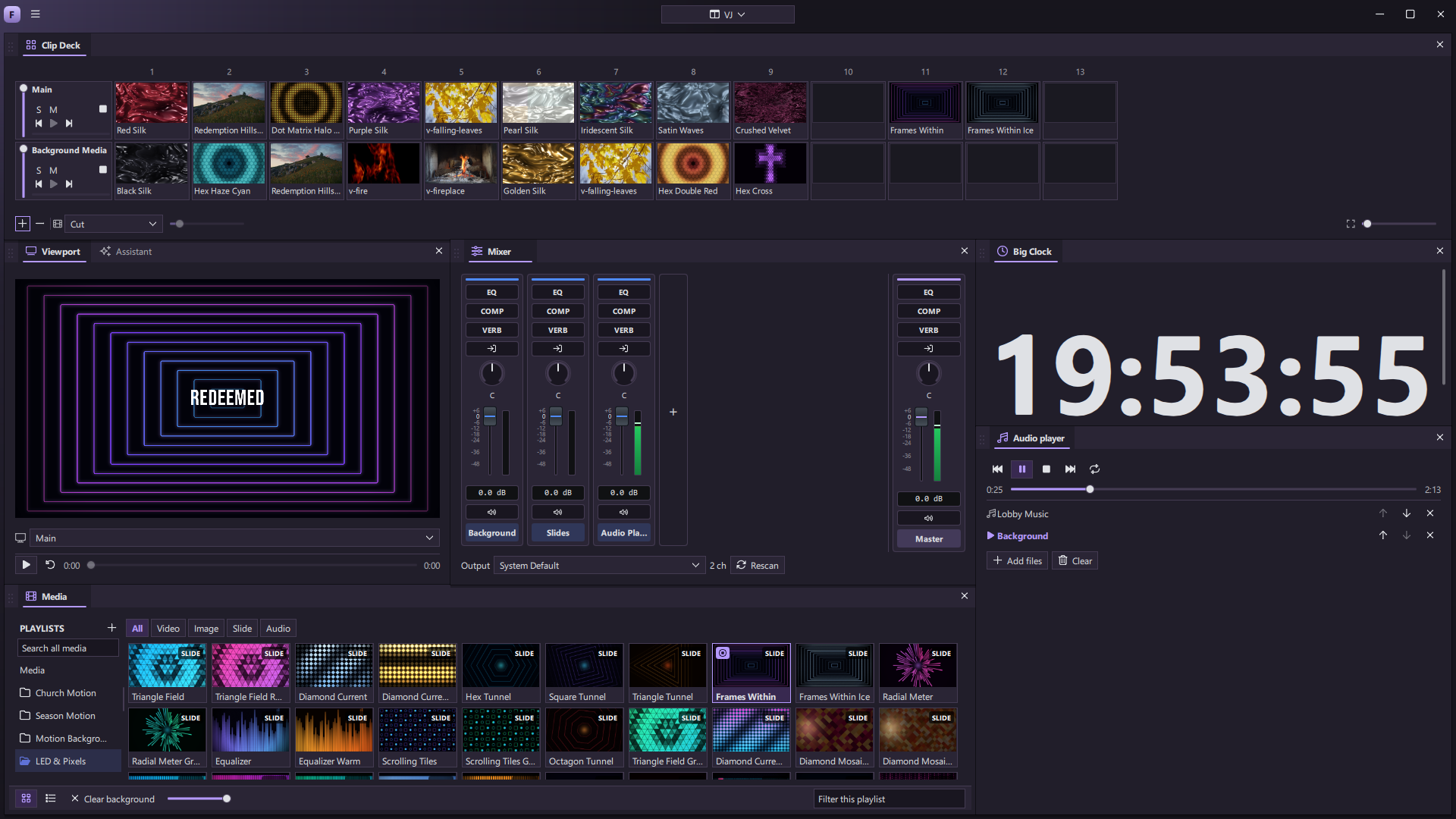
Video gives a live show energy that a static slide cannot. It can set the atmosphere before the first word, move behind a lyric, become a full-screen moment, or change with the music. The best visual choices often happen while the event is unfolding.
That is why we want video to live inside the presentation workflow.
The freedom of a live visual desk
Dedicated VJ tools such as Resolume Arena show how expressive live video can be. You can keep clips ready, launch a new look in the moment, and build a layered picture rather than playing one file after another. We want to bring that kind of immediacy into ForShow, alongside the slides and cues a team is already running.
The ForShow Clip Deck arranges clips and slides in rows of visual layers. Launch one clip or a whole column, fade a layer, solo a look, or change the transition. The mixer and output preview stay close to the deck, so the operator can see and shape the result while the room is watching.
More than a video player
A clip can be a full slide, a persistent background, or part of a live design with text and effects above it. The media library holds footage, stills, audio, and animated slides. Trim, loop, fit, color, and sound controls help one source serve different moments without making another copy of it.
The same real-time engine that draws ForShow’s motion graphics can bring these elements together. A lyric can change while its background keeps moving. A title can build over footage. A camera, media layer, and graphic can meet in one composition. From there, each output can show the version made for the room, the stage, or the stream.
One roof, more possibilities
Many teams currently learn, buy, and maintain several applications to cover presentation, media playback, visual mixing, and live production. Each handoff adds setup and another place for a cue to be missed. Our goal is to bring those professional capabilities under one roof and make them stronger together.
ForShow is still being built. The Clip Deck and media views shown on this site are captures of the current app, and we will publish performance guidance for the release build. We are pushing toward a creative workspace where a team can prepare a show, respond to the room, and keep exploring what a live presentation can become.