Every live production team has a small piece of its workflow that does not fit inside a generic app. It may be a countdown to the service start. It may be a playlist runner with exactly the controls your volunteers use. It may be a status view for the screens in one particular venue.
Those ideas rarely justify building a whole new production system. They should be able to live beside the tools you already use.
The first level: move the desk
ForShow’s panels can be docked, tabbed, floated, duplicated, or popped into their own window. You can save a named layout for each role. A new operator sees the few controls that matter; a technical director can bring everything into view.
Each layout is a working desk. A Viewport can monitor a different output from its duplicate. Switching layouts keeps the live cue and the content you are working with in place.
The next level: write a panel
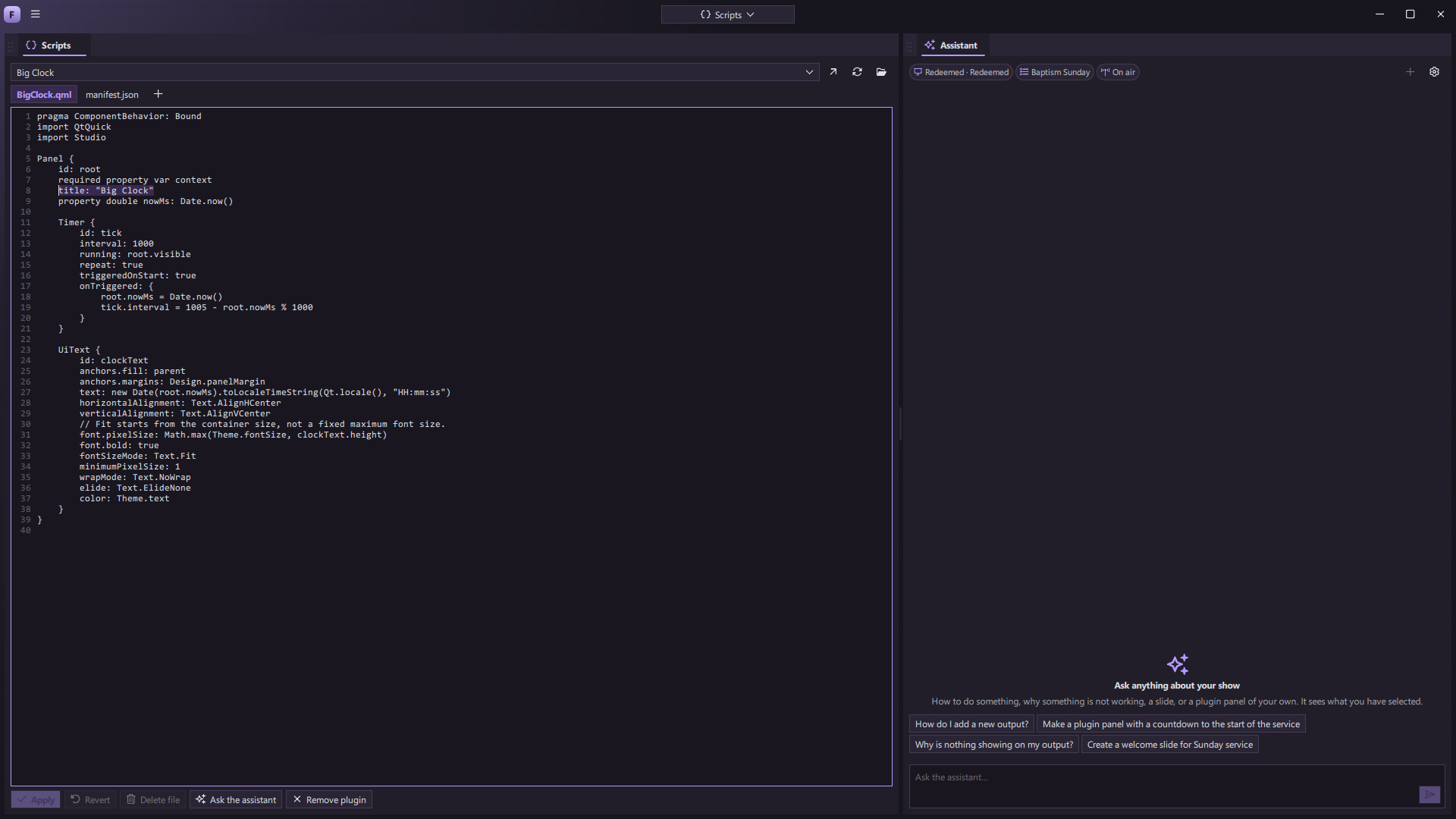
A ForShow plugin is a panel written in QML. It can read the app’s shared state and call documented actions. It looks and docks like a built-in panel, so a custom tool becomes part of the same workspace instead of another window to manage.
The Scripts panel lets you work on a plugin inside ForShow and reload it while the app runs. Bundled example panels demonstrate focused jobs: a service clock, output switcher, playlist runner, slide outline, and notes. Because a plugin runs as trusted local code, teams should choose their sources carefully.
Describe the idea to the assistant
The assistant is being designed to understand the current show, answer questions in context, help draft a slide, and write a plugin panel from a description. Imagine asking, “Make a panel that shows how long until service starts and lets me put a message on the stage display.” The result should be something you can inspect, edit, and keep.
The assistant can be a bridge from a team’s idea to a working part of its production desk. It will use a connected chat service, with supported integrations to be shared before release.
The bigger possibility is a product that never has to assume every venue works the same way. Start with a reliable show system. Arrange it around your people. Then add the small, specific tools that make it feel like yours.