Mix video with the Clip Deck
Build a deck of clips and slides, play them on layers, and change the picture live.
ForShow’s Clip Deck gives live visuals a place beside the presentation. Put a clip or slide in a slot, launch it onto its layer, and keep the next look ready without leaving the show.
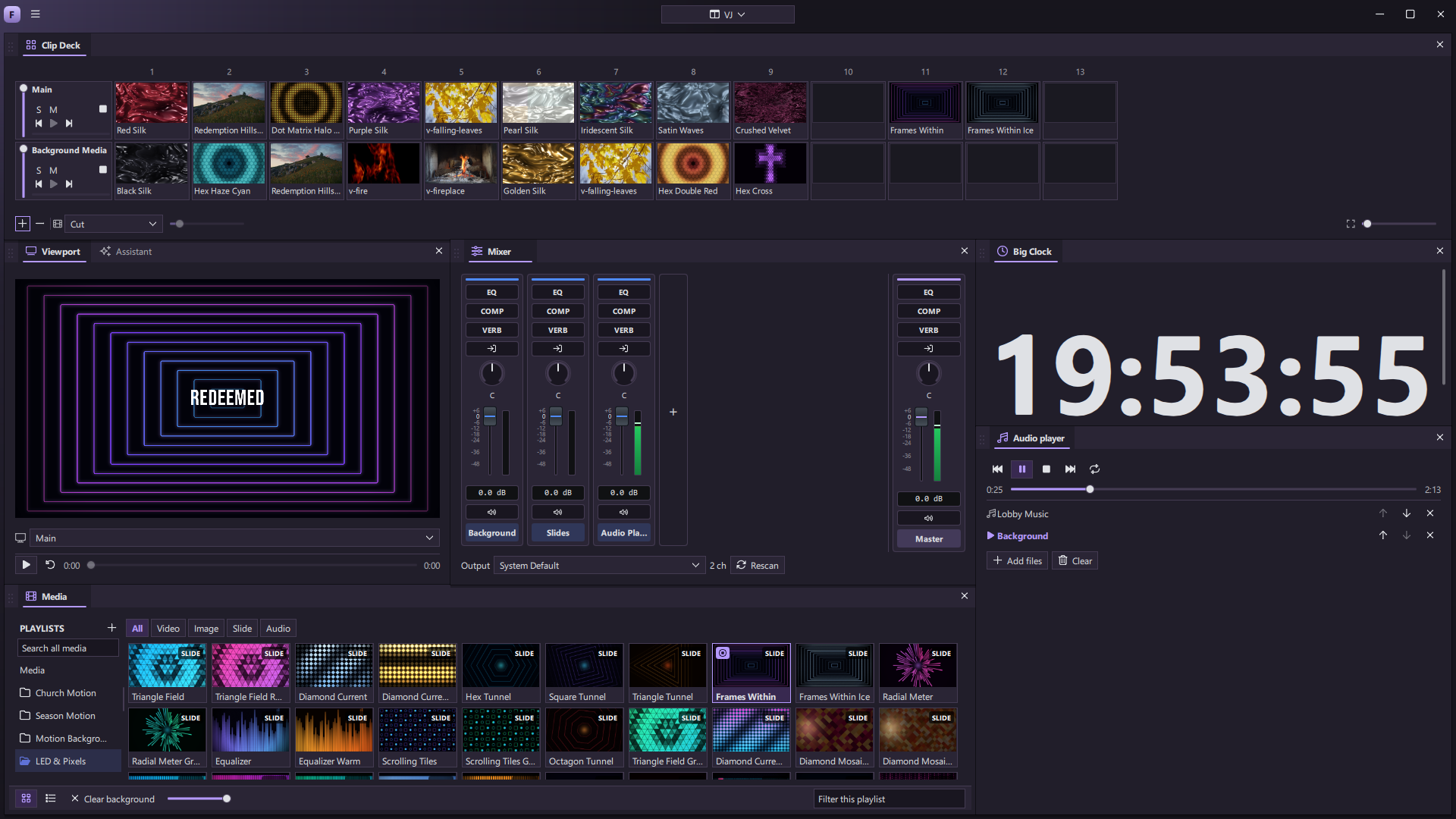
Build the deck
The grid has a row for each visual layer and columns for the looks you want to cue. Drag slides or media into slots. A row can also be filled from a presentation. The deck keeps a copy of each look, so you can return to a source and reapply it when you want that slot updated.
Click one slot to launch it, or launch a column to change several layers together. A layer with an empty position in that column keeps what it is already showing.
Play the layers
Each layer has its own opacity control, plus solo, mute, stop, and video transport. Step to another clip in the row or seek through a video. The Layer Mixer gives you the same layers in a compact desk of faders. Transitions can follow each clip or use a deck-wide choice.
Slides, footage, images, and animated designs can share the deck. Media can also run as a full slide, stay behind your presentation, or live inside a slide design. Clip settings include fit, loop, sound, and a cut override; the media library offers trim, soft loop, color, and other playback choices.
Connect the cues
Clip and column launches, layer faders, mute, solo, and playback can be part of slide actions, macros, or MIDI mappings. That means the visual mix can follow the same cues as the rest of the show.