Shape a running order
Libraries, playlists, sections, slide groups, arrangements, and fast text entry.
An event is more than a folder of slide decks. ForShow gives you a few layers of organization so the show is readable before anyone presses Take.
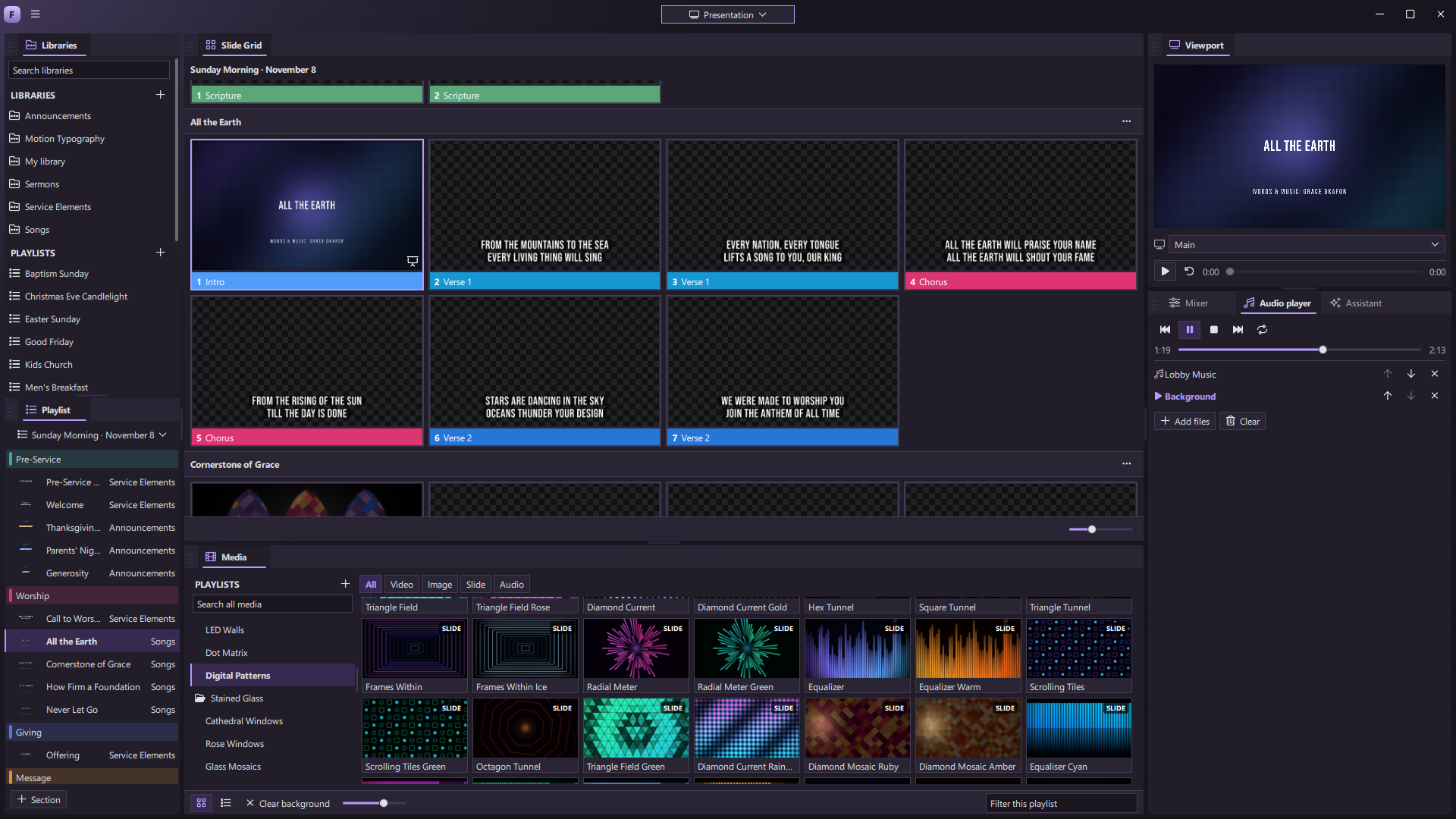
Libraries and presentations
Keep songs, announcements, teaching, and guest material in libraries. A presentation is one editable set of slides. You can bring in a PowerPoint deck as editable content or preserve its look as slide pictures.
ForShow saves edits as you work. Content is held in its local database; presentations and playlists can be imported or exported as portable files. Built-in cloud sync is part of the roadmap and is not a current workflow.
Playlists for the day
A playlist references presentations from any library. Add colored section dividers such as Walk-in, Worship, and Message, then reorder items without copying the underlying presentation. The same song can appear more than once; editing it updates every reference.
Groups and arrangements
Give a run of slides a name such as Verse 1, Chorus, or Bridge. Then make an arrangement from those groups. A chorus can return several times without duplicate slides, and a playlist can choose a particular arrangement for a presentation.
Go from words to slides
Reflow takes pasted lyrics, readings, or notes and shows how they will break into slides before you commit. Split at blank lines, after a set number of lines, or at a marker. You can keep writing in a presentation-wide words view, split or join slides, and find and replace text.
On show day, the Slide Grid follows the selected presentation or whole playlist. The active cue is clearly marked, and forward/back controls follow the running order.