Give every screen a purpose
Independent outputs, stage displays, layer choices, looks, and translations.
The audience, the people on stage, and the online viewer need different information. ForShow is designed so one cue can serve all three without making three separate presentations.
Outputs
An output can go to a physical display, a stage screen, an NDI feed, or a recording and stream target. You can choose its size, whether it is shown, which layers it includes, and how the picture is placed and adjusted. A duplicated Viewport panel can monitor another output without changing what is live.
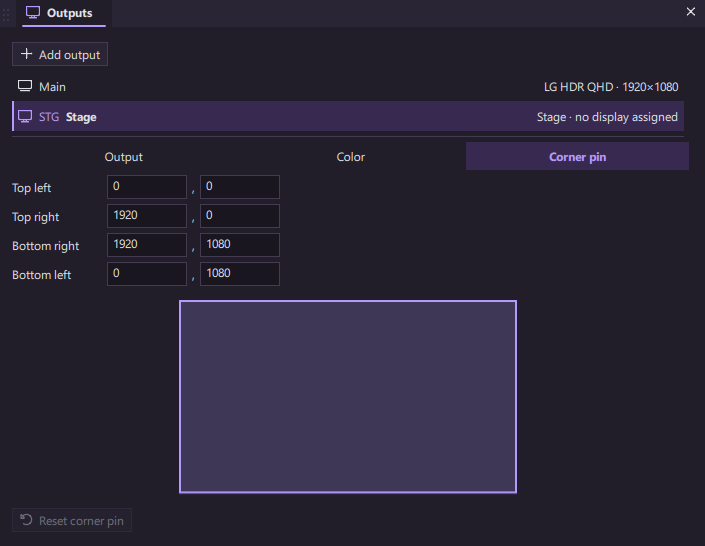
The Outputs panel also includes a four-corner fit for aligning a picture to an unusual surface.
Stage displays
Stage layouts can show the current and next slide, clock, countdown, and a message from the booth. Starting layouts include Current + Next, Lyrics, Message + Clock, and Countdown. They are editable, so the confidence screen can fit the room and the people who use it.
Languages
Keep translations with the slide’s text. ForShow can show one language, another, or a bilingual view on different outputs; the editor can switch to the language you are working on. The Translations panel helps you see missing rows and work through a presentation a column at a time.
Cameras and layers
An NDI camera can be put on the background layer beneath lyrics or a lower third. Media backgrounds remain up as you take new slides. Output layer choices let the room and stream use different compositions.
NDI features depend on the NDI runtime and compatible network sources. We will publish platform and hardware requirements before release.