Design for the live moment
Slides, themes, effects, builds, keyframes, particles, and a growing motion library.
ForShow’s creative tools are part of the presentation workflow. A last-minute word change does not need a new exported video; you can edit the live design itself and take the updated cue.
Build the visual
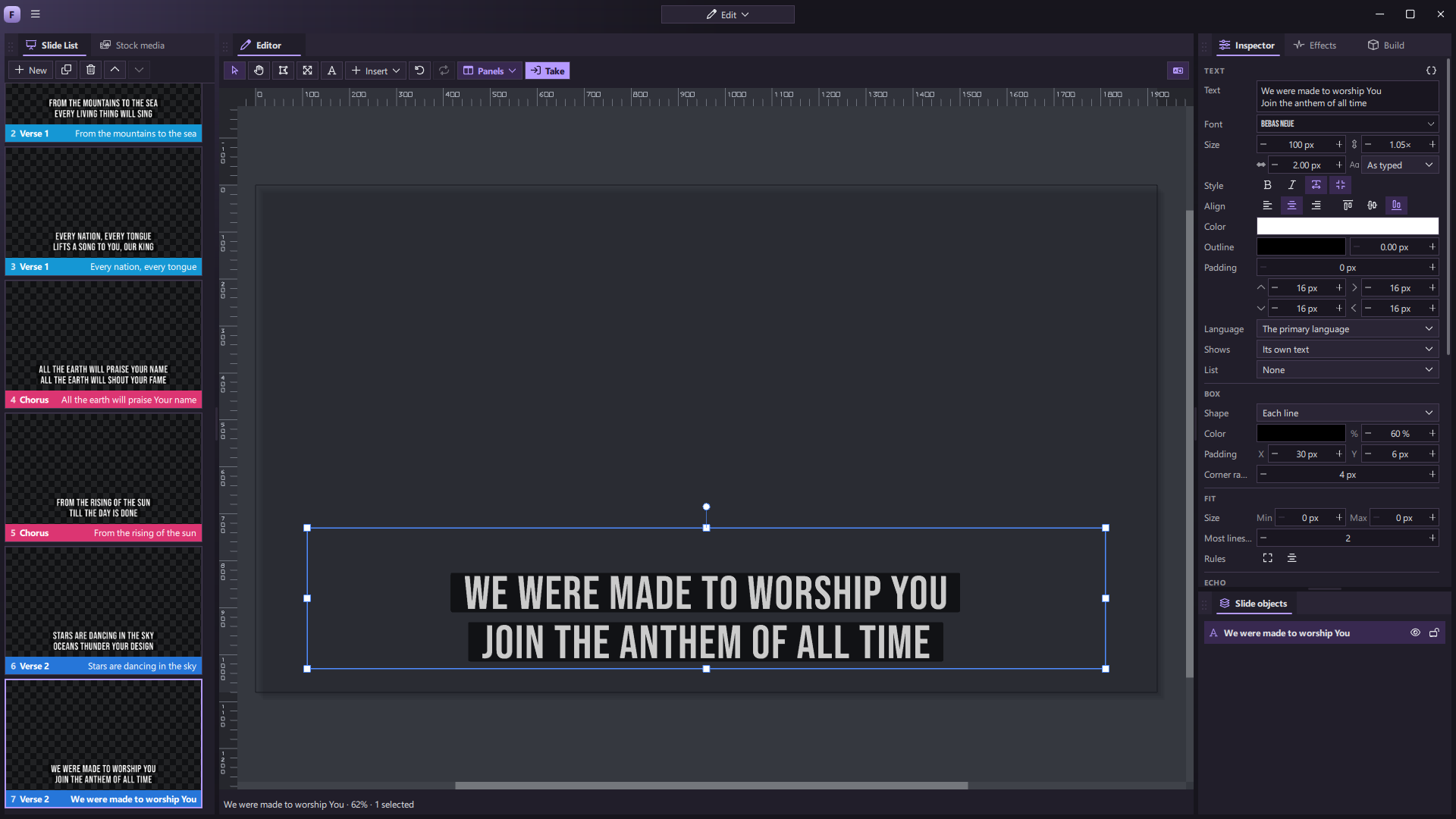
The editor canvas works with text, shapes, images, video, freeform paths, gradients, masks, and references to live content. Inspector controls let you adjust typography, color, crop, placement, and the slide’s own look. Group objects and arrange their order as you would in a design tool.
Themes are decks of editable template slides. Use one to give a whole presentation a consistent style, then continue refining individual slides. Different outputs can also use different theme treatments without changing the underlying slide.
Give it motion
The Effects panel offers 68 catalog choices across styling, blur, light, distortion, filters, and animated treatments. Repeater patterns, particle systems, procedural surfaces, glows, grain, wipes, and text effects can all be part of the design.
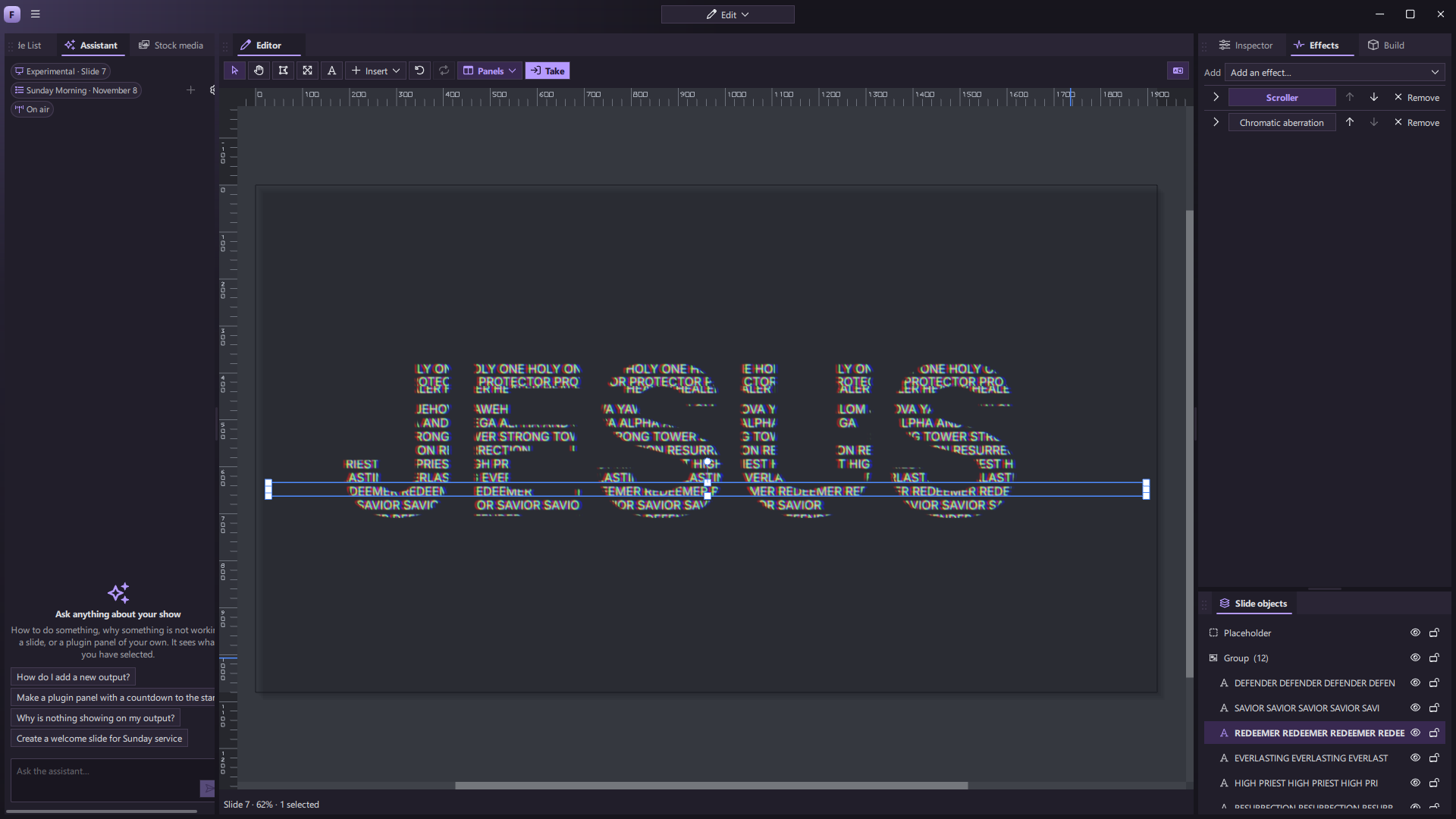
Build controls decide what appears when a slide is taken, what waits for a click, and what happens as it leaves. Add looping movement or use the Animation timeline to tune individual keyframes. Some motion can follow incoming MIDI tempo.
Choose the transition
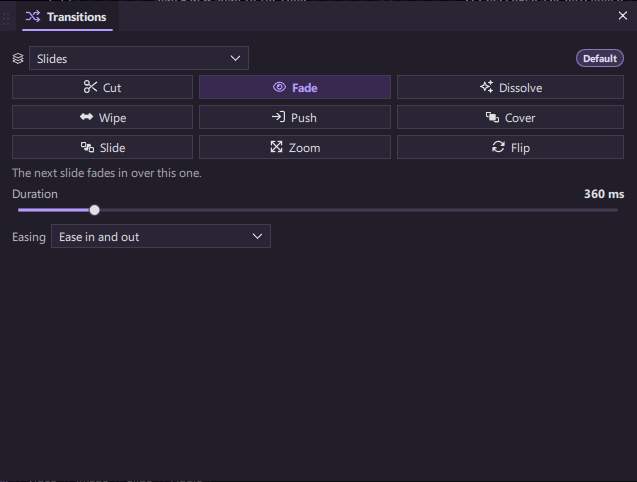
Cut to the next slide or move between moments with a fade, dissolve, wipe, push, cover, slide, zoom, or flip. Set the duration and easing to fit the pace of the show.
Start from something beautiful
We are building a free library of editable motion designs for launch, with a goal of more than 1,000 presets. The catalog is still in development. The aim is to make a lower third, countdown, lyric style, or motion backdrop a starting point rather than a flattened file you cannot change.
You can also import existing motion loops into Media, or export a slide to video when a file is the right deliverable.